
How Polytrace works
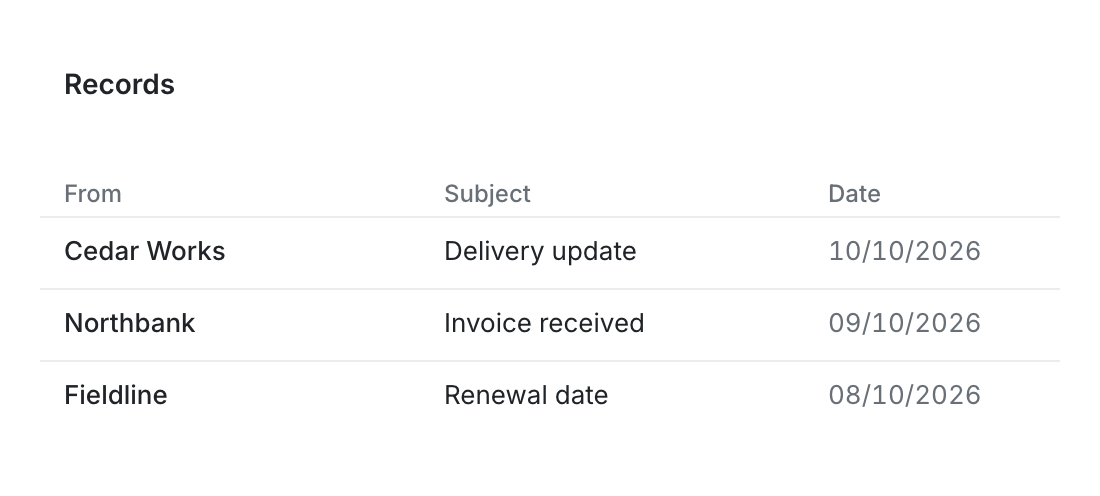
An order can have a delivery email, an invoice and a revised schedule in different places. Find the relevant emails and documents across your inboxes and drives, compare their details in a table and give each team or customer the view they need.
Bring the information together and put it to work
Create useful lists across the inboxes and folders your team uses. Find the emails and files behind a question, extract details when you need a comparison table and share the information each person needs.
-
Connect inboxes and files
Choose the accounts, folders and websites needed for the task. Import earlier email history when it matters.
-
Save useful groups
Create custom email lists across inboxes or save the documents for a review. Return to them as the work continues.
-
Share the details each audience needs
Give colleagues, customers or applications a chosen view, spreadsheet or update, with separate fields and file access.


Choose the tools for your workflow
Start with the emails or documents you need to find, then add comparison tables, alerts or shared views for the work they support.
-
Compare details from emails and documents
Extract amounts, dates and references into one table, with the original document behind each value.
-
Create custom email lists across inboxes
Save supplier or customer correspondence, find related files and keep the versions used for decisions.
-
Hear about changes and deadlines
Get alerts for revised dates, approaching deadlines and unanswered emails, with the timing your team chooses.
-
Give each audience a useful view
Share the details customers, colleagues and applications need through browser views, spreadsheets and updates.
-
Let an AI assistant use selected information
Choose the emails, fields and files it can read, mask sensitive details and review its requests.
Keep the source. Choose what to share.
From: updates@cedarworks.example
Delivery is planned for 18 October.
Internal price: £12,400
We'll confirm once it's on route.
Team
Delivery date: 18 October
Internal price: £12,400
Customer
Delivery date: 18 October
Put the capabilities to work
Follow an example using the emails, documents and questions your team works with.
-
Inbox management
Sort incoming requests and keep unresolved work with its owner.
-
Supplier coordination
Keep planners informed about revised dates and outstanding supplier questions.
-
Contracts and renewals
Prompt a review before a notice deadline, with the clause and amendment in view.
-
Evidence reviews
Gather review documents and assign outstanding requests.
Check connections, access and setup
-
Implementation guide
Set up the first useful list, table or shared view for your team.
-
Integrations
Work with your email accounts, file locations and selected websites.
-
Access and disclosure
Choose who can read information and download original files.
-
History and retention
Follow original documents, reviewed values and shared versions.
See the features in your team’s work
Try a task you do today, using the emails and documents involved and the view your team or customer needs.